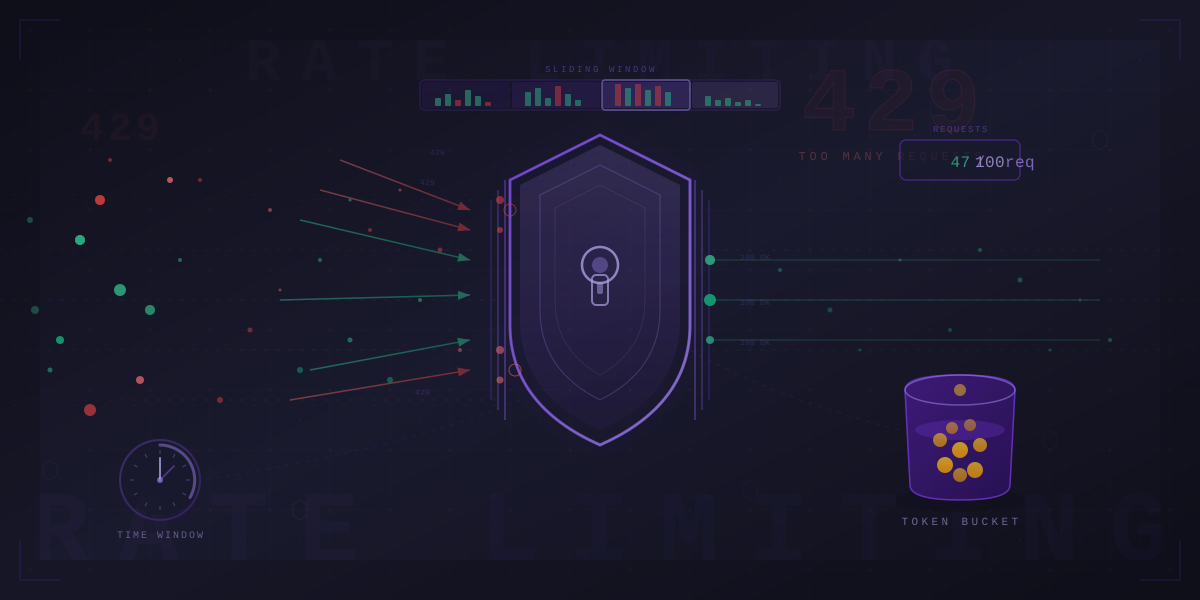
On February 28, 2018, GitHub got hit with the largest DDoS attack ever recorded at the time — 1.35 terabits per second. 126.9 million packets every second, all aimed at github.com. The site went down for about 10 minutes before Akamai's scrubbing service kicked in and absorbed the traffic. Ten minutes does not sound like much, but for a platform that serves as the backbone of modern software development, it was an eternity.
Rate limiting would not have stopped that attack alone. But rate limiting is the reason most APIs survive the everyday version of this — the rogue script, the broken retry loop, the sudden viral moment when Elon tweets about your product and 500,000 people hit your API simultaneously.
Rate limiting is not a nice-to-have. It is a survival mechanism.
Why One Elon Tweet Can Take Down Your Entire API
Here is the reality of running a public API. GitHub allows 5,000 requests per hour for authenticated users. Stripe rate limits at 100 requests per second in live mode. Discord rate limits at per-route granularity — 5 messages per 5 seconds per channel, 50 reactions per second. Twitter/X charges $42,000 per month for their enterprise API tier. At that price point, rate limiting is the product.
Without rate limiting, a single misbehaving client can monopolize your entire infrastructure. A broken retry loop that fires 10,000 requests per second does not care that your database connection pool only has 50 connections. It will exhaust them all, and every other user gets timeouts.
The real danger is not malicious actors. It is your own customers. A developer writes a tight loop without a sleep. A mobile app retries on failure without backoff. A cron job runs every second instead of every minute. These are the things that take down production APIs at 3 AM on a Saturday.
The Redis Lua Script That Handles 100K Rate Checks Per Second
The token bucket is the most widely deployed rate limiting algorithm, and there is a good reason Stripe uses it — it handles bursty traffic gracefully while enforcing long-term averages.
The concept is dead simple. You have a bucket that holds tokens. Tokens refill at a fixed rate. Every request consumes one token. If the bucket is empty, the request is rejected. If the client has been idle, tokens accumulate up to the bucket's maximum capacity, allowing controlled bursts.
The token bucket refills at a steady rate. Each request consumes a token. Bursts are allowed up to bucket capacity, but once empty, requests are rejected until tokens refill.
The implementation challenge is atomicity. In a concurrent system, you cannot read the token count, check if it is greater than zero, and decrement it in three separate operations — you will get race conditions. The standard solution is a Redis Lua script that executes atomically:
local tokens = tonumber(redis.call("get", KEYS[1]) or ARGV[2])
local last_refill = tonumber(redis.call("get", KEYS[2]) or ARGV[4])
local now = tonumber(ARGV[4])
local elapsed = now - last_refill
local new_tokens = math.min(tonumber(ARGV[2]),
  tokens + elapsed * tonumber(ARGV[3]))
if new_tokens >= 1 then
  redis.call("set", KEYS[1], new_tokens - 1)
  redis.call("set", KEYS[2], now)
  return 1  -- allowed
end
return 0  -- rejected
This runs as a single atomic operation on Redis. No MULTI/EXEC needed, no race conditions, no distributed locks. A single Redis instance can handle well over 100,000 of these checks per second.
Stripe uses the token bucket because their traffic is inherently bursty — a merchant might process zero transactions for hours, then process 50 in rapid succession during a flash sale. The token bucket allows that burst while enforcing the 100 requests/second long-term average. Their client libraries automatically read the Retry-After header and back off when limits are hit.
How NGINX Shapes Traffic with a Leaky Bucket
The leaky bucket is the token bucket's stricter cousin. Think of a FIFO queue with a fixed drain rate. Requests enter the queue. They are processed at a constant rate, like water dripping through a hole. If the queue is full, new requests are dropped. No bursts, ever — just a smooth, constant output.
This is exactly how NGINX's limit_req directive works under the hood. When you write:
limit_req_zone $binary_remote_addr zone=api:10m rate=10r/s;
limit_req zone=api burst=20 nodelay;
You are configuring a leaky bucket. The rate=10r/s is the drain rate. The burst=20 is the queue size. The nodelay parameter is the interesting part — without it, burst requests are queued and released at the drain rate. With nodelay, burst requests are processed immediately but still count against the bucket, so subsequent requests get throttled. It gives you the burst tolerance of a token bucket with the simplicity of NGINX configuration.
The leaky bucket is ideal when your backend needs predictable, even load — database write pipelines, message queue consumers, anything where spikes cause cascading failures.
Cloudflare's 99.997% Accurate Algorithm (In 4 Lines of Math)
The sliding window counter is the algorithm that most people should use and the fewest people understand. It solves the fixed window boundary problem — where a client can send 2x the allowed rate by timing requests to straddle a window boundary — without the memory overhead of logging every individual timestamp.
The formula is elegant:
count = prev_window_count * (1 - elapsed/window_size) + current_countThat is it. You keep two counters (previous window and current window) and weight the previous window's count by how much of it overlaps with the current sliding window. If you are 25% into the current 1-minute window and the previous window had 80 requests while the current has 30, your estimated count is: 80 * 0.75 + 30 = 90.
The sliding window counter weights the previous window's count by overlap percentage, then adds the current window's count. Two counters give you near-exact accuracy.
Cloudflare ran extensive analysis on this approach and found it is 99.997% accurate compared to exact per-request timestamp counting. The memory overhead is two integers per client instead of thousands of timestamps. This is the algorithm you should default to unless you have a specific reason not to.
The Hard Problem: Rate Limiting Across 300 Data Centers
Everything above works beautifully on a single server. But what happens when you have 300 data centers spread across the globe? A user in Tokyo hits your Tokyo edge, and a user in London hits your London edge, but they are using the same API key. How do you enforce a global rate limit?
There are three approaches, each with different tradeoffs:
Centralized Redis counter. Every edge node checks a single Redis cluster before allowing a request. This gives you exact global counts but adds latency — a request in Sydney now needs a round trip to your Redis cluster in Virginia. At AWS API Gateway's scale of 10,000 requests per second per account with burst to 5,000, that latency matters.
Local counters with periodic sync. Each edge node maintains its own counter and periodically syncs with a central store. This is fast but imprecise — you might overshoot your global limit by the number of edge nodes times the sync interval. If you have 50 edge nodes syncing every 5 seconds, you could temporarily allow up to 50x your per-interval limit.
Token bucket with gossip protocol. Edge nodes share token consumption information with their neighbors using a gossip protocol (like Cassandra's protocol). This converges on the correct global count without a central bottleneck, but convergence takes time.
In distributed rate limiting, each edge node maintains local counters for speed and periodically syncs with a central Redis store for global accuracy. Clients hitting different edges still share a global quota.
Most companies use a hybrid: local rate limiting at the edge for rough protection (Cloudflare's first layer), with a centralized check for precise per-user limits. The edge catches the flood; the center enforces the contract.
Rate Limiting at Every Layer (And Why You Need All of Them)
A single rate limiter is a single point of failure. Production systems stack them:
Edge layer (Cloudflare, AWS Shield). This stops volumetric attacks before they reach your infrastructure. Cloudflare's network can absorb attacks exceeding 100 Tbps. These are blunt instruments — IP-based blocking, geographic filtering, challenge pages.
API Gateway (Kong, AWS API Gateway). AWS API Gateway supports 10,000 requests per second per account with burst to 5,000. This layer handles per-route and per-API-key limits. It is your primary enforcement point for customer-facing rate limits.
Application middleware. This is where you enforce business logic — different limits for free vs. paid users, per-endpoint granularity, cost-based limits. Express middleware, Django decorators, Spring interceptors.
Database connection pools. The last line of defense. Your database has a finite number of connections (typically 100-500 for PostgreSQL). Connection pool exhaustion is the number one cause of cascading failures. Tools like PgBouncer act as implicit rate limiters at this layer.
Netflix's Adaptive Rate Limiter That Learns From Latency
Static rate limits are guesses. You pick a number, deploy it, and hope it is right. Netflix built something smarter — a concurrency limiter that adjusts limits automatically based on observed latency.
The core idea is the gradient algorithm. The limiter tracks the minimum observed latency (the "no-load" latency) and compares it to current latency. As latency increases, it means the system is under pressure, and the limiter reduces the allowed concurrency. As latency drops back to baseline, the limiter opens up.
new_limit = current_limit * (min_latency / current_latency)
// Smoothed with exponential moving average
This is backpressure detection without any manual tuning. Netflix reported that their adaptive rate limiter reduced error rates by 50% during traffic spikes. The system automatically throttles when it senses degradation and recovers when pressure subsides.
The beauty is that it adapts to your actual infrastructure capacity, not to some number a human guessed during a planning meeting six months ago.
What Happens When 10,000 Clients Retry at the Same Time?
You rate limit your clients. They all get 429 responses at roughly the same time. They all retry. At the same time. Congratulations — you have a thundering herd.
The thundering herd problem happens when rate-limited clients all schedule their retries at the same moment. If your Retry-After header says "try again in 60 seconds," every throttled client will fire at T+60 simultaneously. The load spike might be worse than the original traffic.
The solution is exponential backoff with jitter. AWS published the definitive formula:
// Full jitter (AWS recommended)
sleep = random_between(0, min(cap, base * 2^attempt))

// Example: base=1s, cap=60s
// Attempt 1: sleep between 0-2s
// Attempt 2: sleep between 0-4s
// Attempt 3: sleep between 0-8s
The jitter is critical. Without it, exponential backoff just synchronizes retries at longer intervals. With full jitter, clients spread their retries randomly across the backoff window, smoothing the load curve.
Discord implements this aggressively in their official client libraries. If you get rate limited on the Discord API, the library automatically applies exponential backoff with jitter. If you ignore rate limits entirely, Discord will ban your bot.
Why Twitter Charges $42K/Month for API Access
Rate limiting is not just a technical mechanism — it is a business model. Twitter/X's API pricing makes this explicit: $42,000 per month for enterprise access. The free tier gets you 1,500 tweets per month for reads. The Basic tier at $100/month gives you 10,000 tweets. The Pro tier at $5,000/month gives you 1,000,000.
What are they selling? Not compute. Not storage. Access — metered, rate-limited access to data. The rate limit is the product differentiation.
This is increasingly common. OpenAI rate limits by tokens per minute. Stripe rate limits by requests per second. AWS rate limits by API calls per second per service. Every tier boundary is a rate limit boundary, and every rate limit boundary is a pricing opportunity.
Not All Requests Are Equal: Cost-Based Rate Limiting
A GET /user/123 that reads from cache costs almost nothing. A POST /search?q=*&analyze=deep that scans millions of rows and runs ML models costs 100x more. Treating them the same with a flat rate limit makes no sense.
Cost-based rate limiting assigns a weight or cost to each request based on the resources it consumes. GraphQL APIs were the first to widely adopt this with query complexity scoring. A simple field lookup costs 1 point. A nested query with pagination costs 10. A deeply nested query that could fan out to millions of records costs 100.
GitHub's GraphQL API caps you at 5,000 points per hour. A simple query might cost 1 point. A query that fetches all issues across all repositories with their comments and reactions might cost 500. The rate limit is not about request count — it is about resource consumption.
// Simplified cost calculation
cost = base_cost
  + (fields_requested * 0.1)
  + (pagination_limit * 0.5)
  + (nested_depth * 2.0)
  + (connections_requested * 1.0)
This is fairer and more protective. A client making 1,000 cheap requests consumes fewer resources than a client making 10 expensive ones. Cost-based limiting reflects that reality.
The Headers That Save Your Users From Guessing
A rate limiter that rejects requests silently is a bad rate limiter. Always communicate limits through standard HTTP headers:
X-RateLimit-Limit— maximum requests allowed in the windowX-RateLimit-Remaining— requests left in the current windowX-RateLimit-Reset— Unix timestamp when the window resetsRetry-After— seconds to wait before retrying (on 429 responses)
Always return 429 Too Many Requests, never 403 Forbidden. The 429 status code was created specifically for rate limiting and tells clients exactly what happened and what to do about it.
Rate limiting looks simple from the outside — just count requests and reject the excess. But inside, it is a distributed systems problem, a business strategy, and an infrastructure survival mechanism all at once. Get the algorithm right, deploy it at every layer, communicate limits clearly, and handle the thundering herd. Your API's availability depends on it.
References and Further Reading
- How we built rate limiting capable of scaling to millions of domains — Cloudflare Blog
- Rate limits — Stripe API Documentation
- Rate limits for the REST API — GitHub Docs
- Module ngx_http_limit_req_module — NGINX Documentation
- Performance Under Load: Adaptive Concurrency Limits — Netflix Technology Blog
- Exponential Backoff And Jitter — AWS Architecture Blog
- Rate Limiting Plugin — Kong Documentation
- Rate limits — X (Twitter) API Documentation
- Token bucket — Wikipedia
- Rate Limits — Discord Developer Documentation